Two widely used cPanel tools that run on the server, even when your computer is off: the auto-reply, to let people know you are on vacation or out of office, and the forwarder, so that what arrives at one address also arrives at another.
Auto-reply (vacation or out of office)
- Go to cPanel → Email, click Manage on the account and open the Auto-reply tab → Add auto-reply. (Classic design: Email → Autoresponders → Add Autoresponder.)
- Choose the email account, then type the subject and the message.
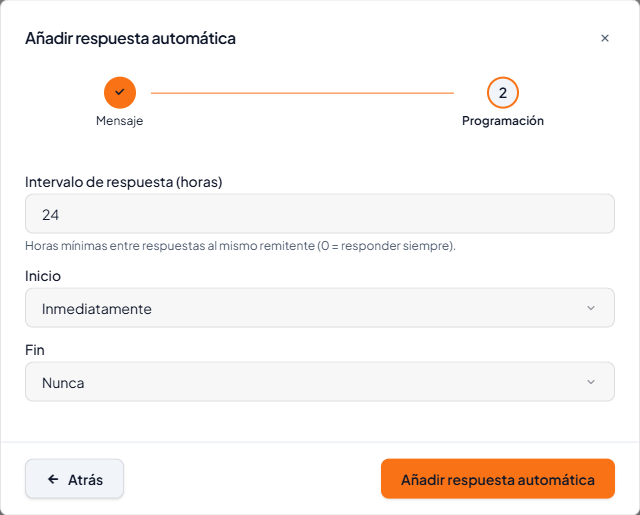
- Under Interval, set how many hours before the same sender gets another reply. With 24 hours, someone who writes several times a day gets a single notice.
- Set the start date and, importantly, the stop date. Without a stop date, the reply keeps going out after you are back.
- Save with Create.
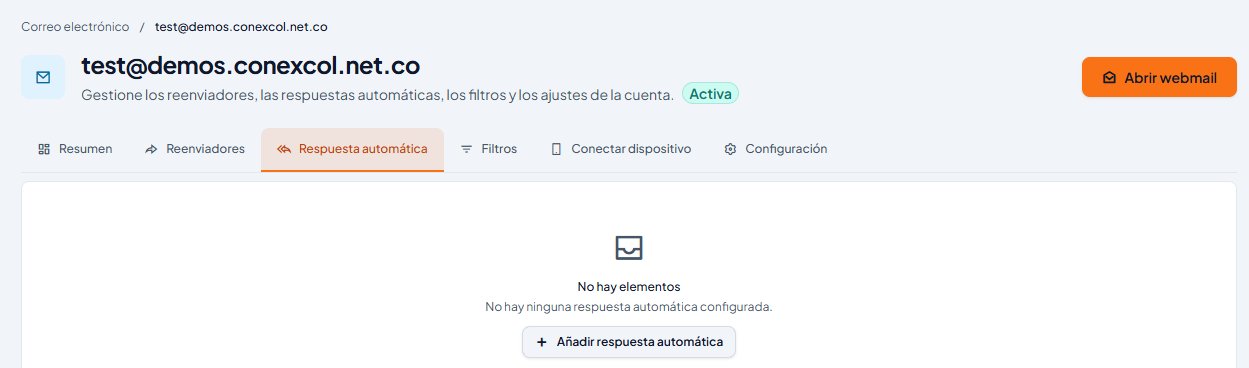
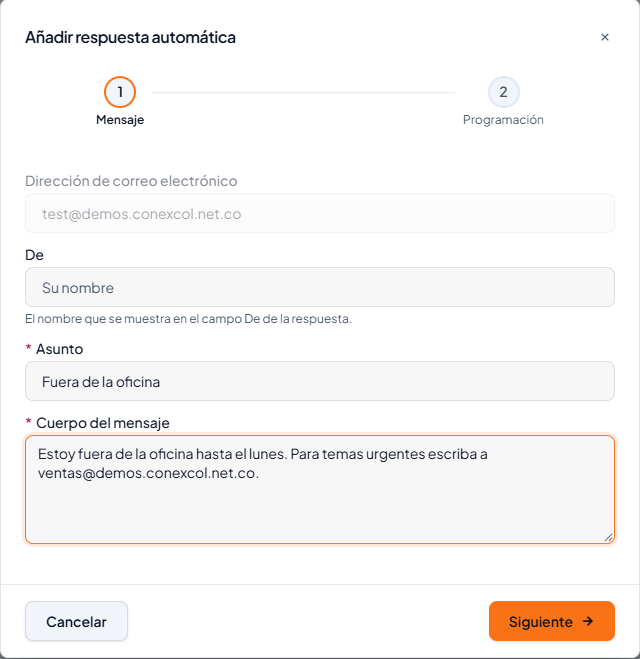
Tips: do not put sensitive information in the message (the reply reaches anyone who writes to you, spam included). Say who to contact while you are away. If you receive mailing lists, the interval stops you from replying to every message.
Forward email from one address to another
- cPanel → Email → Manage on the source account → Forwarders tab → Add forwarder.
- In Forward to, type the destination address and click Add forwarder.
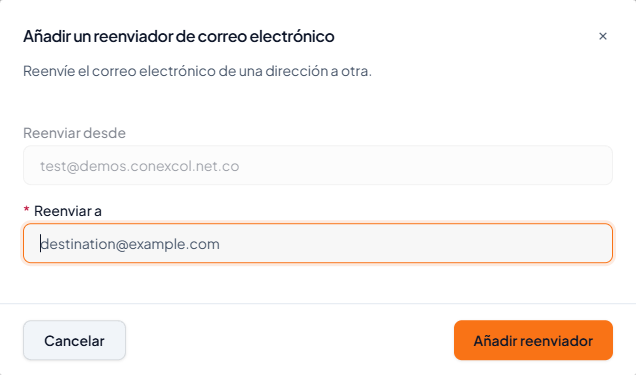
Classic design: Email → Forwarders → Add Forwarder. Screenshots show the panel in Spanish.
The source account keeps its own copy; the forwarder sends another one to the destination. To send a whole domain to another, use Add Domain Forwarder.
Before forwarding to Gmail, Hotmail or Outlook.com
Forwarding everything to a free mailbox has a risk: when you get spam, your server forwards it, and to those providers it looks like you are sending it. If that builds up, they may start rejecting mail from your domain. If what you want is to read your email somewhere else, setting it up with IMAP in that program or on your phone (see set up in Outlook) is better than forwarding.
When someone leaves the company
A common case: you do not want to lose what people send to someone who left. Change the password of their mailbox (so no one else gets in) and create a forwarder from their address to their replacement. After a while, decide whether to keep or delete the mailbox.
Review your forwarders from time to time
A forwarder sends a copy of your email to someone else. If you see one in Forwarders that you do not recognize, delete it and change that account's password: it is a typical sign of a compromised mailbox. If in doubt, write to us from the portal.
More information
- Article (Spanish): Reenviadores y autorespuestas en cPanel
- Video (Spanish): Cómo crear un reenvío en cPanel